

Essential Steps for Keeping your Website Running Smoothly
Hi there, fellow internet explorers! It's your friendly neighborhood Office Space alum, Michael Bolton. You may know me as the hapless victim of hilarious mockery from my coworkers, but today I'm here to share some wisdom on how to check your website for top-notch performance.
Why listen to a guy who spent most of his days staring at an overflowing inbox? Well, let me tell you, I learned a lot about patience and perseverance from those long hours at Initech. And when it comes to optimizing your website's speed, responsiveness, and overall user experience, you'll need plenty of both qualities!
1️⃣ Speed Testing: Just like how I wish I could've sped away from those TPS reports, your website visitors don't want to wait around for slow load times. Use tools like Google's PageSpeed Insights or Pingdom Website Speed Test to evaluate and improve your website's speed. You can even pretend you're racing against Peter trying to steal your stapler—the faster you make your website, the more likely it is that he won't beat you to it!
2️⃣ Responsiveness: Remember when I had to deal with a printer from the Stone Age? Your website should be as far from that prehistoric device as possible. Make sure your site looks and functions great on desktops, tablets, and smartphones alike. Test it across multiple devices and browsers—it's like having an endless supply of LCD projectors at your disposal!
3️⃣ SEO Checks: Even if you've got all the tech-knowledge in the world, people still need to find your website among the vastness of the internet. Use SEO tools (Search Engine Optimization) like Moz or SEMrush to analyze and optimize your content for search engine rankings. This way, when someone Googles "Friday night plans," your site will be at the top of their list—right before the Michael Bolton concert they didn't even know they wanted to attend!
4️⃣ Security Audits: We all remember that pesky Office Space printer jamming up, right? Well, don't let your website become a hacker's playground. Use tools like Norton or McAfee to scan and protect your site from malware and other cyber threats. After all, no one wants their virtual storefront to be as vulnerable as Milton's stapler!
5️⃣ User Experience Evaluation: If you want people to stick around longer than the time it takes for a coworker to ask if you're "going to go ahead and...," then your website needs to be user-friendly. Use tools like Hotjar or Crazy Egg to track how visitors interact with your site, identify areas for improvement, and create a more seamless experience overall.
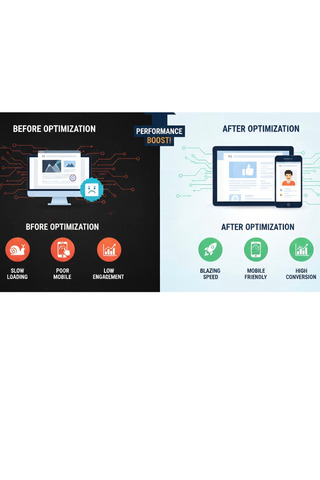
So there you have it—my five steps to optimizing your website's performance. Now go out there and make your virtual home shine like the stars above that Initech office ceiling! And remember: when in doubt, just channel your inner Michael Bolton and rock on!