

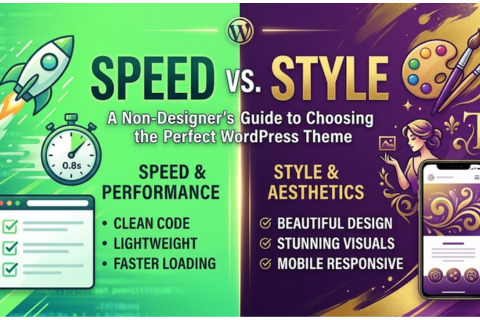
Speed vs. Style: A Beginner’s Guide to Picking the Perfect WordPress Theme
When you first dive into the world of WordPress, the excitement is palpable. You have an idea, a brand, or a story to tell, and you want the world to see it in the most beautiful light possible. Naturally, your first instinct is to head over to the theme directory and look for the most "stunning" design you can find. You look for the sweeping cinematic headers, the complex animations, and the intricate layouts that look like they belong in a digital art gallery.
But the truth is that many seasoned website owners have learned the hard way: a pretty website that takes even five seconds to load is basically going to become invisible. In today's digital landscape of 2026, the battle for your visitor's attention isn't only about how you look; it’s about how fast you show up. If you are a non-designer, choosing a theme is your most important technical decision. This guide is here to help you navigate the high-stakes trade-off between speed and style so you can build a site that looks great and actually performs.
The Hidden Trap of the "All-in-One" Theme
As a beginner, it is incredibly tempting to choose a theme that claims to do everything. These are often marketed as "multipurpose" themes that come with a bunch of demo sites, ten different image sliders, and a built-in kitchen sink. On the surface, this feels like a bargain. You think, "I might need those features later, so I should get them now."
In reality, these themes are often "bloated." To make a theme do everything for everyone, developers have to pack it with massive amounts of code. Even if you only use 5% of the features, the other 95% is still sitting in the background, being loaded every time a visitor clicks on your site. This extra baggage acts like a heavy backpack on a marathon runner. It slows down your "Largest Contentful Paint"—which is just a fancy way of saying the time it takes for your main content to actually appear on the screen. When a theme is bloated, your server has to work harder, your visitor's phone has to process more data, and your site feels sluggish before the first word is even read.
Why Slow Loading is a Search Engine Executioner
You might wonder why a few extra seconds of loading time matters so much. To understand this, you have to look at it from Google's perspective. Google’s entire business model relies on providing users with the best possible experience. If Google sends a user to a website that takes too long to load, the user gets frustrated and leaves. This reflects poorly on Google.
Google has now shifted its focus heavily toward "Core Web Vitals." These are specific metrics that measure the real-world user experience. If your theme is beautiful but heavy, your "Interaction to Next Paint" (the speed at which the site responds when a user clicks something) will suffer. When your performance metrics are low, Google will push your site down in the search results in favor of faster, more efficient competitors. You could have the best content in the world, but if your theme is an "SEO killer" because of its speed, your target audience may never find you.
Prioritizing Substance Over Shine
When you are browsing themes, stop looking at the professional photography in the demos. Most people choose a theme because they like the pictures of the mountains or the high-end office spaces shown in the preview. However, once you install that theme and replace those photos with your own, the "magic" often disappears.
Instead, look at the "bones" of the theme. A great WordPress theme should be like a high-quality canvas, and not a finished painting. You want something that provides a solid, lightweight structure that you can then decorate with your own content and vision. You want to look for themes that highlight "performance," "lightweight," or "vanilla JavaScript" in their descriptions. These terms usually indicate that the developers prioritized speed. A clean, simple layout is much easier to customize and far more likely to keep your visitors engaged than a complex one that glitches on a slow data connection.
The Necessity of Mobile Responsiveness
We no longer live in a desktop-first world. In fact, more than half of all web traffic now happens on mobile devices. A theme might look breathtaking on your 27-inch monitor, but if the menu becomes impossible to click or the text becomes microscopic on a smartphone, you have lost your audience.
True mobile responsiveness isn't just about things fitting on a small screen; it’s also about how they function. A good theme will automatically rearrange elements so they are easy to navigate with a thumb. It will ensure that images are resized so they don't eat up a user's data plan. When choosing a theme, always use the "Live Preview" and then shrink your browser window to the size of a phone. If the design breaks or becomes a cluttered mess, move on. Google uses "mobile-first indexing," meaning it looks at the mobile version of your site to decide how high to rank you. If your theme isn't mobile-perfect, your SEO is already at a disadvantage.
How to Spot Clean Code Without Being a Coder
You don't need to be a software engineer to figure out if a theme is well-built. There are several "smoke signals" that can tell you if a theme has clean code. First, look at the "Last Updated" date in the WordPress theme repository. A theme that hasn't been updated in six months or a year is a red flag. The web moves fast, and clean code requires regular maintenance to stay compatible with the latest versions of WordPress and security standards.
Another trick is to check the file size of the theme if it's listed. Themes like GeneratePress or Astra are famous for being under 50KB. For context, that is smaller than many single images. This is a hallmark of "clean code"—the developers wrote only what was necessary and nothing more. You can also look at user reviews and search for keywords like "fast," "light," or "easy to use." Avoid themes where the reviews frequently mention "bugs," "slow support," or "confusing settings." Clean code usually results in a smoother, more intuitive experience for the person setting up the site.
The Power of the Block Editor
In the past, users relied on heavy "Page Builders" to make their sites look good. While those tools are still around, modern WordPress uses the Block Editor (also known as Gutenberg). Choosing a theme that is "Gutenberg-optimized" or "built for blocks" is one of the smartest moves a non-designer can make.
These block editor themes are designed to work with the core functionality of WordPress rather than fighting against it. By using the block editor, you eliminate the need for extra plugins that will slow down your website. With these, you can easily create beautiful, complex layouts using simple blocks for columns, buttons, and photo galleries. Because all these elements are part of the WordPress core, they are inherently faster and more stable than third-party design tools. It allows you to achieve a high-end style without the traditional speed penalty.
Balancing Your Vision with Reality
It is easy to get caught up in the "perfect" vision of what you want your site to be. You might want background videos, entrance animations, and rotating carousels of testimonials. But every time you add one of these "bells and whistles," you are making a withdrawal from your speed bank account.
Ask yourself: "Does this feature help my visitor achieve their goal?" If a fancy animation makes it harder to read your blog post, it's not a design feature—it's a hurdle. The most successful websites in the world—think of Amazon, Google, or even popular blogs—are remarkably simple. They prioritize clarity and speed over visual flair. As a non-designer, your goal should be to find a theme that provides "invisible" design. This means the design is so smooth and the loading is so fast that the user doesn't even notice the technology; they only notice your message.
Final Checklist for Your Selection
Before you hit the Install button, take a deep breath and run through this final mental check. Is the chosen theme lightweight? Is it under 100KB? Does the demo load instantly on your phone? Has the developer updated it recently? Does it have a high rating from a large number of users?
If the answer to these questions is yes, you have found a winner. Remember, you can always add "style" later through high-quality images and great typography, but it is incredibly difficult to add "speed" to a theme that was built poorly from the start. By choosing a theme that respects the balance of Speed vs. Style, you aren't just building a website; you are building a foundation for long-term growth and search engine success. Your future self—and your future visitors—will thank you for choosing performance over a flashy first impression.
To read about why your traffic isn't growing, read this post here.
To learn about Content Strategy, read these posts.