

Must-Have Plugins for New Bloggers (2026 Edition)
Starting your first blog is an incredible feeling. You have finally picked your niche, bought your domain, and installed WordPress. But as soon as you land on that dashboard, you are met with a realization: WordPress is a bit like a new house. It has the structure and the walls, but it is currently empty. To make it functional, safe, and fast, you need to bring in the right tools. In the world of WordPress, those tools are called plugins.
Plugins are basically small apps that you add to your website to give it extra features. However, there’s a common trap that many new bloggers fall into. They see a ton of free options and start installing everything that looks even remotely interesting. When you add too many plug-ins, though you end up with a slow and buggy website. The secret to a successful blog is not having the most plugins, but having the right ones. You want a lean, high-performance machine that helps you show up in search results and keeps your hard work safe from hackers.
We are going to walk through the essential categories every new blogger needs to cover. We will look at how to get noticed by search engines, how to make your website lightning fast, how to lock your digital doors, and how to create a safety net so you never lose your content.
Mastering the Art of Search Engine Optimization
Once you start writing your blog or content, your biggest challenge is getting people to actually find you and your work. This is where Search Engine Optimization, or SEO, comes in. SEO is the process of making your website "readable" for search engines like Google. Without an SEO plugin, you are basically just whispering in a crowded room. You need a tool that helps you shout out what you are trying to say.
For new bloggers, two names dominate the conversation: Yoast SEO and RankMath. Yoast has been the industry standard for over a decade. It is famous for its simple traffic light system. When you write a post, Yoast gives you a red, orange, or green light based on how well your content is optimized. It checks if you have used enough of your keywords, if your images have descriptions and alternative text, and if your sentences or paragraphs are too long. It’s pretty much like having a friendly little editor elf sitting on your shoulder.
RankMath is a newer, more modern alternative that has gained massive popularity lately. While Yoast is really great for simplicity, RankMath provides more features in its free version. It allows you to track your keyword rankings and provides deeper suggestions for "Schema," (the technical data that tells Google if your post is a recipe, a review, or an article) If you are tech-savvy and want more data, RankMath is a fantastic choice. If you want the most beginner-friendly experience possible, Yoast remains the gold standard. Whichever you choose, having one of these is non-negotiable for growing an audience.
Making Your Site Move at Light Speed
In 2026, internet users are more impatient than ever. If your blog takes more than two seconds to load, half of your visitors might leave before they even see your title. Beyond the user experience, Google actually penalizes slow websites. Speed is now a major factor in where you rank in search results. This is why you need a caching plugin.
To understand caching, think about a restaurant. If every time a customer ordered a sandwich, the chef had to go to the farm to harvest the wheat and milk the cow, the service would be terrible. Caching is like having those sandwiches pre-made and ready on the counter. A caching plugin creates a "static" version of your pages so your server doesn't have to rebuild your entire site every single time someone clicks a link.
WP Rocket is widely considered the best tool for this job. Most caching plugins are notoriously difficult to set up, requiring you to understand complex tech terms like "minification" or "GZIP compression." WP Rocket is different because it works almost instantly upon activation. It handles all the heavy lifting behind the scenes, such as "Lazy Loading," which ensures images only load as the reader scrolls down to them. Doing this saves data and makes the initial page load feel nearly instantaneous. While it is a premium plugin, so it's not free, the time it saves you in technical headaches is worth every penny for a new blogger who wants to focus on writing rather than coding.
Building a Digital Fortress for Your Content
The moment your site goes live, it becomes a target. This isn't meant to scare you, but it is a reality of the modern web. Automated bots spend 24 hours a day scanning WordPress sites for vulnerabilities. Many new bloggers think, "Why would anyone hack me? I don't have any traffic yet." But hackers usually aren't looking for your specific data; they just want to use your server to send a bunch of spam or spread around malware.
One of the most popular securtiy plug-ins is called Wordfence. Wordfence is like the first line of defense for millions of WordPress users. Think of it like a big, giant security guard standing at the front door of your blog, deciding who gets to pass through the gates. It includes a firewall that identifies and blocks malicious traffic before it even reaches your site. One of its most valuable features for beginners is the login security. Wordfence can alert you if someone is trying to guess your password or if a "brute force" attack is happening.
Beyond the firewall, Wordfence will also run regular malware scans. It compares your core WordPress files with the official versions to ensure nothing has been tampered with. If a file looks suspicious, Wordfence tells you exactly what is wrong and how to fix it. Setting this up early ensures that as your blog grows, you are building on a secure foundation rather than a shaky one that could come crashing down at the worst possible moment.
The Ultimate Safety Net with Reliable Backups
Imagine you have been blogging for six months. You have fifty high-quality posts, hundreds of comments, and a beautiful design. One morning, you try to update a plugin, and something goes wrong. Your screen goes white, and you can't access your site. Or worse, your hosting provider has a server failure. Without a backup, all of that work is gone forever.
This is why UpdraftPlus is arguably the most important plugin on this list. While your hosting company might say they "do backups," you should never rely solely on them. You need an independent copy of your site that you control. UpdraftPlus allows you to schedule automatic backups of your entire website—your images, your database, your plugins, and your themes.
The genius of UpdraftPlus is that it connects to cloud storage services you likely already use, such as Google Drive or Dropbox. You can set it to run on a schedule, like once a week or once a day, and it will automatically and quietly send a zip file of your site to your cloud account. If your site ever breaks, you just have to click "Restore," and UpdraftPlus puts everything back exactly the way it was. It also provides a level of peace of mind that allows you to experiment with your blog's design and features without the fear of breaking things permanently or losing any of your content. It’s really easy to set up and will guarantee that you never lose your content.
Finding the Right Balance for Your Blog
As you move forward with your blogging journey, you will find plugins for almost everything. There are plugins to add social sharing buttons, plugins to create contact forms, and plugins to help you build an email list. These are all great, but they should be added one by one. Always remember the "Golden Rule" of WordPress: quality over quantity.
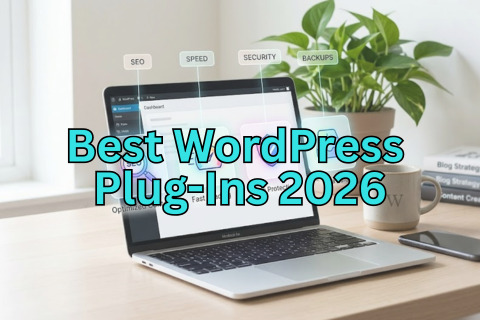
Every plugin you add adds a little bit of weight to your site. Some plugins are coded better than others, and sometimes two plugins will "argue" with each other, causing errors. By starting with the essentials—SEO, caching, security, and backups—you are covering the four pillars of a healthy website. These plugins work together to ensure your site is visible, fast, safe, and recoverable.
As you become more comfortable with the WordPress interface and learn more about what you want your website to do or look like, take the time to look through the settings of the plugins you have installed. Most of them have "Setup Wizards" that walk you through the basic configuration. Don't feel like you need to understand every single checkbox on day one. The default settings for Yoast, WP Rocket, Wordfence, and UpdraftPlus are designed to be effective right out of the box.
Building a blog is a marathon, not a sprint. By taking the time to set up these essential tools today, you are giving yourself the best possible chance at success. You are removing the technical barriers that often stop new bloggers in their tracks, allowing you to focus on what really matters: sharing your voice and your ideas with the world. Your future self will thank you for the extra few minutes you spent securing your site and optimizing your speed today. Welcome to the world of WordPress—you have a great adventure ahead of you.
To read about How Search Engines Actually Work, read here
To learn all about SEO, read these posts here.